
FOX Nation: Celebrate America
FOX News Network, LLCNews & Magazines
3.99.02K Reviews
- Version
- Varies With Device
- Installs
- 1.00M
- Age Rating
- Teen
Screenshots



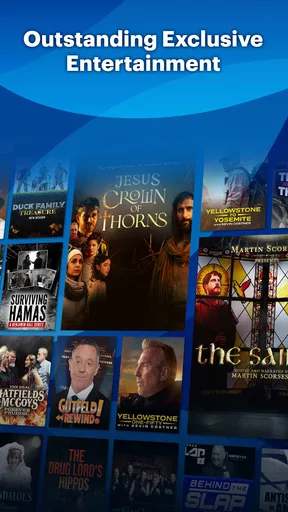
Our Review of FOX Nation: Celebrate America
 Analysis by Appyee
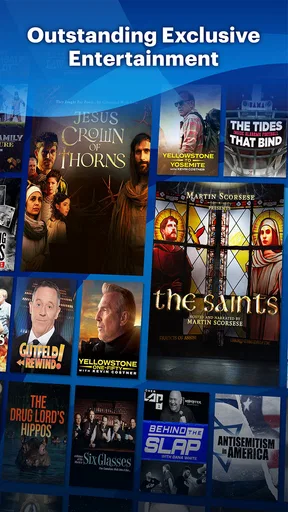
I tend to look for a streaming app by asking one practical question: will I find enough here that I would not simply choose a general entertainment service instead? FOX Nation: Celebrate America has a distinct focus on U.S. history, culture, personalities, and public life. That makes it more appealing when I want programming centered on American stories than when I am browsing for a little of everything.
It is a News & Magazines app from FOX News Network, LLC, though its viewing experience is closer to a focused video service than a traditional news reader. The catalog includes documentaries, series, and specials, so I would approach it as a place for longer-form viewing rather than as my only source for quick updates. That distinction matters: the strongest reason to open it is a specific interest in the subjects it covers.
What the free download does—and does not—settle
The app is free to download, but that should not be confused with a promise that all viewing is free. In-app purchases are listed from $8.99 to $71.49 per item, so there is a paid element to consider before treating the service as a no-cost streaming library. I would check the current purchase options in the app and make sure I understand what a selected purchase includes before spending anything.
That price range is broad enough that I would not assume every option offers the same access or suits the same viewing habits. A one-off purchase can make sense for someone who wants to watch a particular program, while a larger commitment needs a stronger reason: regular interest in the catalog, not just curiosity about one title. I would avoid deciding based on the free download alone.
The app has a 3.9 average from around 19,000 ratings, and it has been installed over a million times. Those figures suggest an established audience, but they cannot tell me whether the available programming matches your tastes. The age rating is Teen, another useful point for households deciding whether the service fits shared viewing; I would still check individual program details rather than treating an app-level age label as a guide to every title.
What the catalog is best at
First things first, the sheer amount of content on FOX Nation: Celebrate America is impressive. You’ve got a mix of original series, documentaries, and specials that dive deep into American culture and history. It’s like having a front-row seat to the American narrative. Whether you’re into historical deep dives or current affairs, there’s a variety to keep you entertained.
One of my favorite sections has to be the documentaries. They’re not your typical, run-of-the-mill stuff. These are well-produced, engaging, and cover a wide range of topics. I found myself glued to the screen watching stories about American icons and unsung heroes that you don’t usually hear about in mainstream media.
For me, that subject-specific focus is both the draw and the main limitation. If I have a particular curiosity about a person, a period, or a strand of U.S. culture, a documentary-led service can make it easier to stay with one subject than hopping between unrelated recommendations on a broad streaming platform. But if my evening mood is “show me anything funny, new, or international,” this is less likely to be the first app I open.
Using it with a purpose
Now, let's talk about the user experience because, let’s be honest, no one wants to deal with clunky navigation. The app is pretty straightforward and easy to use. The interface is clean, and everything is laid out in a way that makes sense. Navigating through the categories is a breeze, and the search function is pretty spot-on. If you know what you’re looking for, you’ll find it in no time.
Search is most useful when I arrive with a question rather than an open-ended desire to browse. If a name or subject has caught my attention in a conversation, I can use that as a starting point and look for a related program. When I do not have a topic in mind, categories and recommendations are more helpful, but I would still treat them as a way into the catalog rather than proof that the app has a complete or neutral survey of a subject.
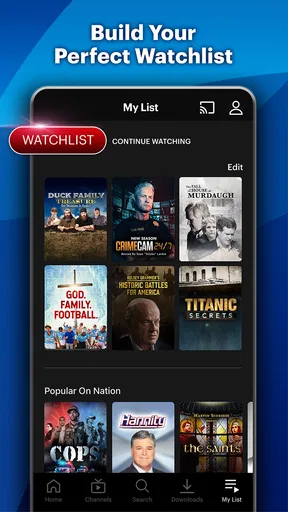
What I really appreciate is how the app curates content based on your viewing habits. It’s like it gets me, ya know? The recommendations are usually on point, making it easy to discover new shows or series that align with my interests.
One small way to make recommendations work better is to watch a full program when it genuinely interests you instead of sampling several unrelated titles just to see what appears. That gives the app a clearer signal about the subjects I want more of. If I am sharing a device with someone whose interests differ from mine, though, a shared viewing history can make suggestions less personal; in that case, I would use search and categories more deliberately rather than expecting every recommendation to fit.
A realistic evening, and the limits of a focused library
Imagine I have half an hour after dinner and want something about an American historical figure, but I do not yet know which program to choose. I would browse the relevant category, use a name or topic in search if one catches my eye, and pick a documentary that fits the time I have. If I enjoy it, I can follow the recommendations into a related series another night. That is a more natural use for this app than opening it expecting an endless mix of unrelated genres.
There is a trade-off in that focused approach. A specialized catalog can feel easier to navigate when I know the kind of story I want, but it gives me less reason to keep browsing if I am not interested in its central themes. People looking for a broad slate of scripted dramas, children’s programming, international releases, or a general-purpose collection may be better served by a wider streaming alternative. Someone who wants breaking headlines and short updates may prefer a conventional news app instead.
I also would not rely on a single documentary service as the only source for understanding a complicated event or historical debate. A program can be engaging and still reflect a particular editorial perspective. When I want a fuller picture, I compare what I have watched with reporting, books, or documentaries from other sources. That is not a reason to avoid the app; it is a sensible viewing habit for any service with a clear editorial identity.
Watching on the go or at home
For those of you wondering about availability, the app is accessible on both Android and iOS, which is great because it means you can take your content on the go. Whether you’re commuting or just chilling at home, you’ve got access to all your favorite shows right at your fingertips.
For a commute, I would choose a program with a subject I can follow in short stretches, rather than starting a long story when I know I will need to stop midway. At home, the same documentary format can work better as a planned viewing session. This is a practical distinction, not a claim about special playback tools: the value is in matching the program to the time and attention I actually have.
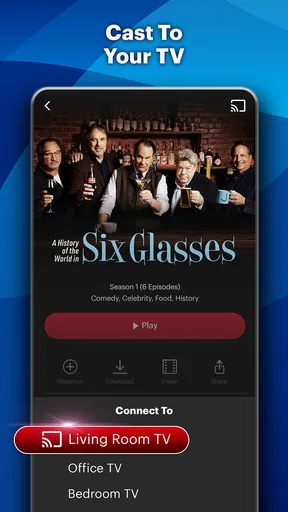
Moreover, if you like watching content on a bigger screen, there’s support for streaming devices. So, you can easily cast shows to your TV and enjoy the content in full HD glory. Perfect for movie nights or those lazy Sundays when you just want to binge-watch.
A larger screen is particularly useful for documentaries that use archival images, maps, or on-screen details, because I can settle in and give the material proper attention. If I am considering a paid purchase, I would first decide whether I expect to watch mostly on a phone or on the television; the answer helps me judge whether the program fits my routine, rather than buying on the strength of an interesting description alone.
Understanding the paid commitment
Okay, let’s get real about the subscription. Yes, it’s a paid service, but the price is reasonable considering the quality and range of content you’re getting. They do offer a free trial, which I think is a great way to test the waters before committing. Plus, there are no ads interrupting your viewing experience, which is a huge plus in my book.
The subscription options are flexible, so you can choose a plan that suits your budget and viewing habits. And trust me, once you get hooked on the content, it’s worth every penny.
There is an important distinction between that earlier subscription description and what I can confidently recommend from the current purchase facts: the app is free to install, and paid in-app items are listed within the stated range. I would not count on a free trial, a particular plan structure, or an ad-free experience when working out the cost unless those terms are clearly shown at the point of purchase. App-store purchase details can change, so I would read the exact offer on screen before confirming it.
My own value test is simple: identify several programs I genuinely expect to watch, then compare that interest with the cost shown for the relevant purchase. If I only want one title, a larger commitment may not make sense. If the catalog’s American history and culture programming is already the kind of viewing I return to, paying could be easier to justify. Either way, I would not purchase just because the app is free to download.
Who is likely to get the most from it?
I would recommend trying it to someone who regularly seeks out U.S.-centered documentaries, historical storytelling, and related series or specials. It can also suit a household that wants a dedicated option for this kind of programming on a phone and a television. The app’s Teen age rating may help frame the household decision, but parents should still consider the topic and tone of each program before sharing it with younger viewers.
I would be more cautious if you mainly want a neutral, comprehensive news feed, a huge mix of entertainment genres, or a service with a clearly predictable cost before you even browse. The app’s subject focus is valuable precisely because it is specific; that same focus makes it a weaker fit for viewers who prefer broad variety or who do not want to evaluate a service’s viewpoint alongside other sources.
It is also a less compelling choice for occasional viewers who are not sure what they want to watch. In that situation, I would explore the free app first, use search to locate a topic I care about, and hold off on purchases until I have found a real reason to return. That small bit of discipline makes the difference between a useful niche service and an impulse expense.
My verdict on whether to try it
In a nutshell, FOX Nation: Celebrate America is a solid app for anyone who’s passionate about American stories and culture. It’s like having your own personal channel dedicated to the U.S. with exclusive content you won’t find anywhere else. The user-friendly interface, coupled with a wide variety of content, makes it a must-have for anyone interested in the American experience.
So, if you’re looking for an app that celebrates America in all its glory, give it a shot. I’ve enjoyed my time with it, and I think you will too. Happy streaming!
My more measured recommendation is to start with the free download, explore the subjects that genuinely interest you, and make a paid decision only after checking the exact offer attached to the content you want. The app is most convincing when its focused catalog matches your regular viewing habits; it is not a substitute for every kind of streaming or news service. If that focus sounds right for you, it is worth a look. If not, a broader alternative—or no purchase at all—is the smarter choice.
Privacy and Permissions
See what permissions an app requests and how it handles your data.
- Location
- approximate location (network-based), precise location (GPS and network-based)
- Photos/Media/Files
- read the contents of your USB storage, modify or delete the contents of your USB storage
- Storage
- read the contents of your USB storage, modify or delete the contents of your USB storage
- Wi-Fi connection information
- view Wi-Fi connections
- Other
- view network connections, allow Wi-Fi Multicast reception, connect and disconnect from Wi-Fi, full network access, run at startup, reorder running apps, draw over other apps, control vibration, prevent device from sleeping, read Google service configuration
Verdict
Strengths of FOX Nation: Celebrate America
- Extensive library of exclusive content
- User-friendly interface for easy navigation
- High-quality streaming with minimal lag
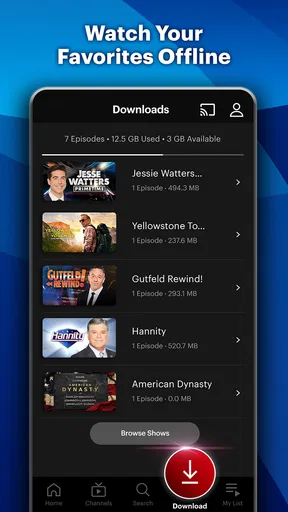
- Offline viewing option available
- Customizable content alerts
Limitations of FOX Nation: Celebrate America
- Limited content for non-subscribers
- No live news streaming available
- Subscription required for full access
- Occasional bugs in the app
- Limited parental control options
Other Releases by FOX News Network, LLC
View All
FOX News - Daily Breaking News
News & Magazines4.6

FOX Weather: Daily Forecasts
Weather3.8
Similar Picks in This Category
View All
Google News - Daily Headlines
Google LLC4.0

X
X Corp.4.8

Flipboard:Your Social Magazine
Flipboard3.4

Opera News: breaking & local
Opera4.5

Hindi News by Dainik Bhaskar
Dainik Bhaskar Group4.0

Way2News Daily News App
Way2News ( Formerly Way2SMS )4.6
Frequently Asked Questions
What is FOX Nation: Celebrate America?
FOX Nation: Celebrate America is a streaming app offering a variety of shows, documentaries, and exclusive content centered around American culture, history, and patriotism. It provides subscribers with access to exclusive programs and live events that celebrate the American spirit. The app is available on both Android and iOS platforms.
Is there a free trial available for FOX Nation?
Yes, FOX Nation offers a free trial period for new users. This allows potential subscribers to explore the app's features and content before committing to a paid subscription. The duration of the free trial may vary, so it's advisable to check the current offer on their official website or app store listing.
What type of content can I expect on FOX Nation?
The app features a wide range of content, including documentaries, talk shows, and original series that focus on American culture, history, and current events. Subscribers can also access exclusive interviews, live events, and special programming not available on the regular FOX network.
How much does FOX Nation subscription cost?
FOX Nation offers several subscription plans, typically including monthly and annual options. Prices can vary based on current promotions or regional differences, so it's best to check the latest rates directly on the app or website. Subscribers often benefit from choosing an annual plan for cost savings.
Can I watch FOX Nation on multiple devices?
Yes, FOX Nation supports streaming on multiple devices. You can access your account on smartphones, tablets, smart TVs, and web browsers. This flexibility allows you to enjoy content anytime, anywhere. However, simultaneous streaming limits may apply depending on the subscription plan.
